

Back
For professionals
Events
Requests, capacity, and the waitlist
Requests, capacity, and the waitlist
Two settings decide how bookings reach you: whether they arrive as requests you answer, and how many people the event holds.
-
Open the event and go to Online booking to control whether clients can see and book it.
Go to Event menu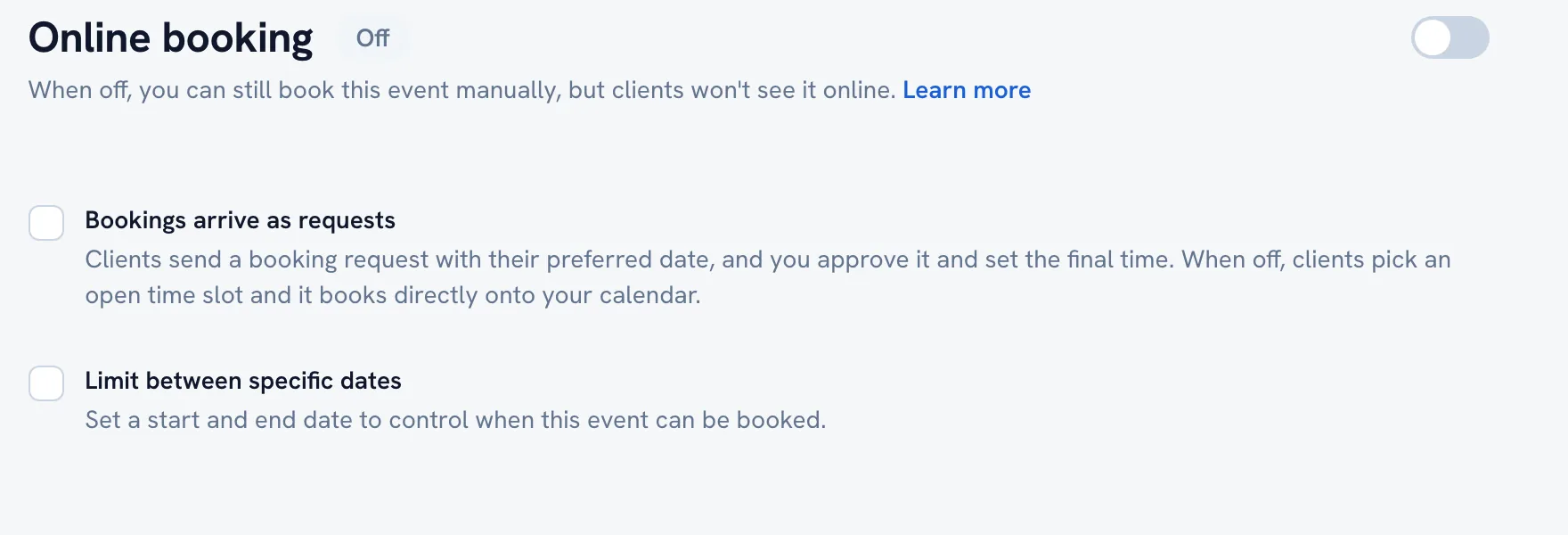
-
Turn on Bookings arrive as requests if you want to approve each one and set the final time yourself.
-
Leave it off to let clients pick an open slot that lands straight on your calendar.
-
Go to Settings for the capacity, the waitlist, and anything you require before somebody can book.
Tip: Requests are the safer default for a retreat or a trip, where you want a conversation with the person before you commit the spot.
FAQ
Where do the requests show up?
In Bookings, under Pending actions. A request sits there until you answer it.
Recommended articles



Thanks for your feedback!
Was this guide helpful?