

Back
For professionals
Clients
Export your client list
Export your client list
Your client list can leave WellFred whenever you want it to.
-
Open Clients in the sidebar.
Go to Clients -
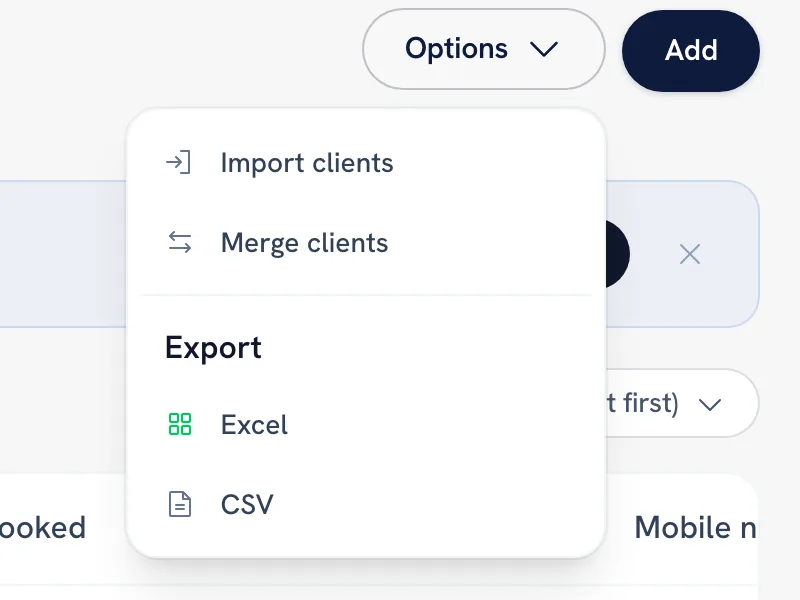
Choose Options, then Export.
-
Pick Excel or CSV.
Tip: CSV is the same format the import reads, so an export is the quickest way to see the exact column layout before a bulk update.
Recommended articles



Thanks for your feedback!
Was this guide helpful?