

Back
For professionals
Classes
Capacity and waitlist
Capacity and waitlist
Capacity is the number of spots in one session. The waitlist is what happens to the people who arrive after those spots are gone.
-
Open the class. Under Details, choose the Enrollment Mode.
Go to Class menu -
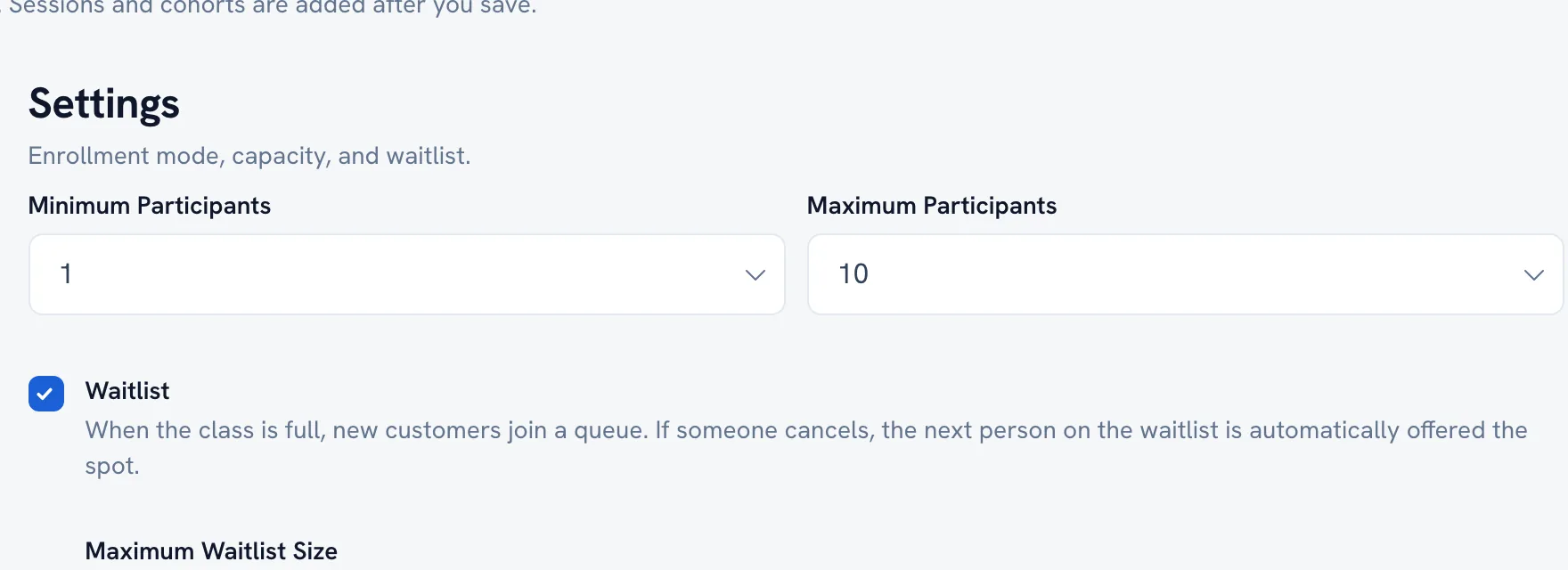
Go to Settings.
-
Set Maximum Participants — how many people a single session holds.
-
Turn on Waitlist to keep collecting names after the class fills up, and set Maximum Waitlist Size.
-
Save.
Tip: Capacity is per session, not per class. A class running twice a week with 12 spots seats 12 people each time, not 12 in total.
FAQ
Somebody cancelled a full class — what happens to the free spot?
The spot opens again. Open the session roster to see who is enrolled and who is waiting.
Recommended articles



Thanks for your feedback!
Was this guide helpful?