

Back
For professionals
Bookings
Approve a change your client asked for
Approve a change your client asked for
A client can ask to move a booking they already have. It arrives in Pending actions rather than changing your calendar on its own.
-
Open Bookings and stay on Pending actions.
Go to Bookings -
Find the row whose What is waiting column reads Change requested.
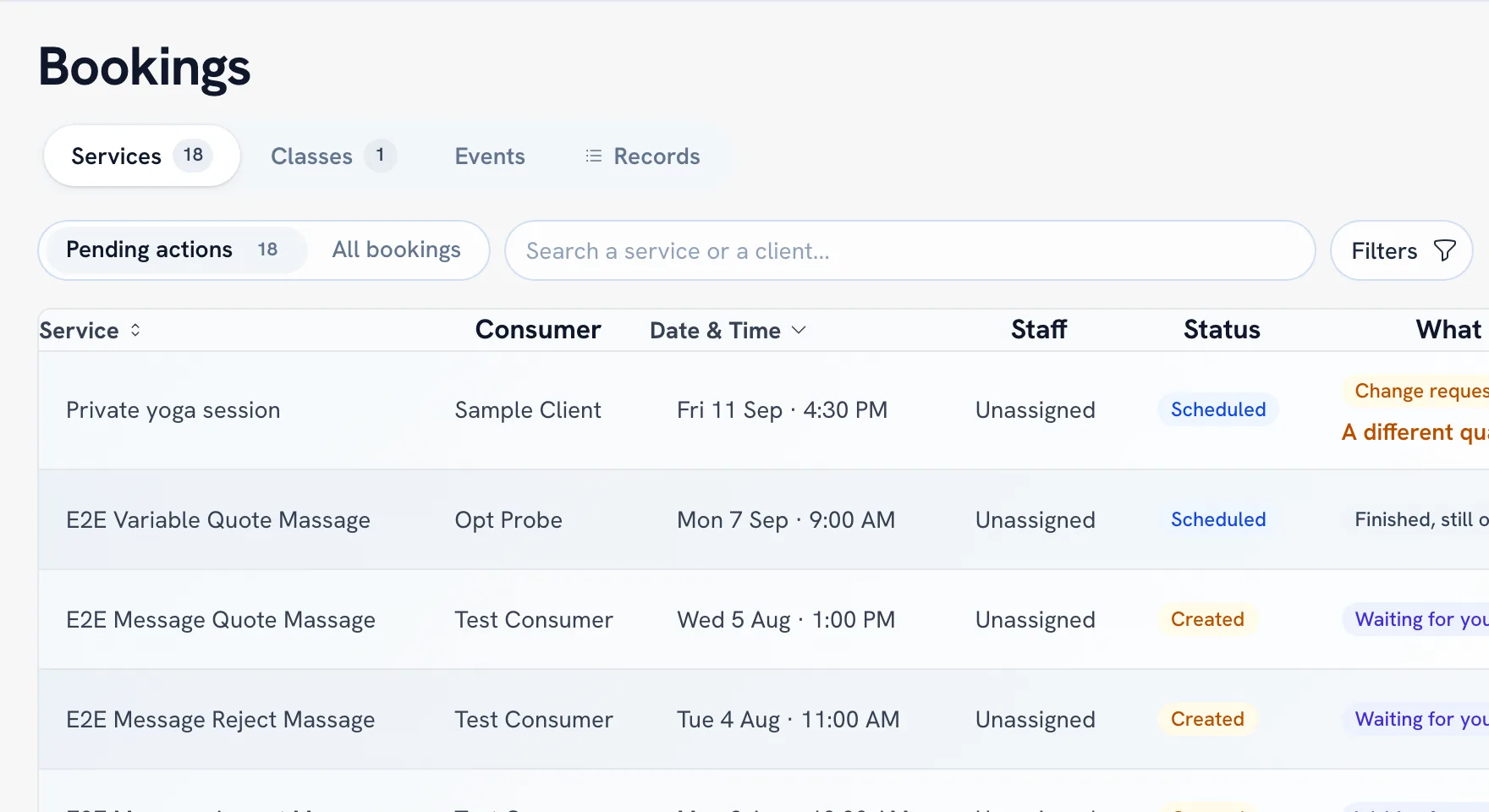
-
Choose Accept time to move the booking, or Decline to leave it where it is.
Tip: These are the one thing that still reaches this list when you confirm bookings automatically — automatic confirmation covers new requests, not changes to existing ones.
Recommended articles



Thanks for your feedback!
Was this guide helpful?