

Back
For professionals
Booking rules
How far ahead people can book
How far ahead people can book
Two settings decide the window your clients can book inside: how much warning you need, and how far into the future you are willing to commit.
-
Open Workspace settings, choose Scheduling, then Booking rules, and click Edit on Booking preferences.
Go to Booking rules -
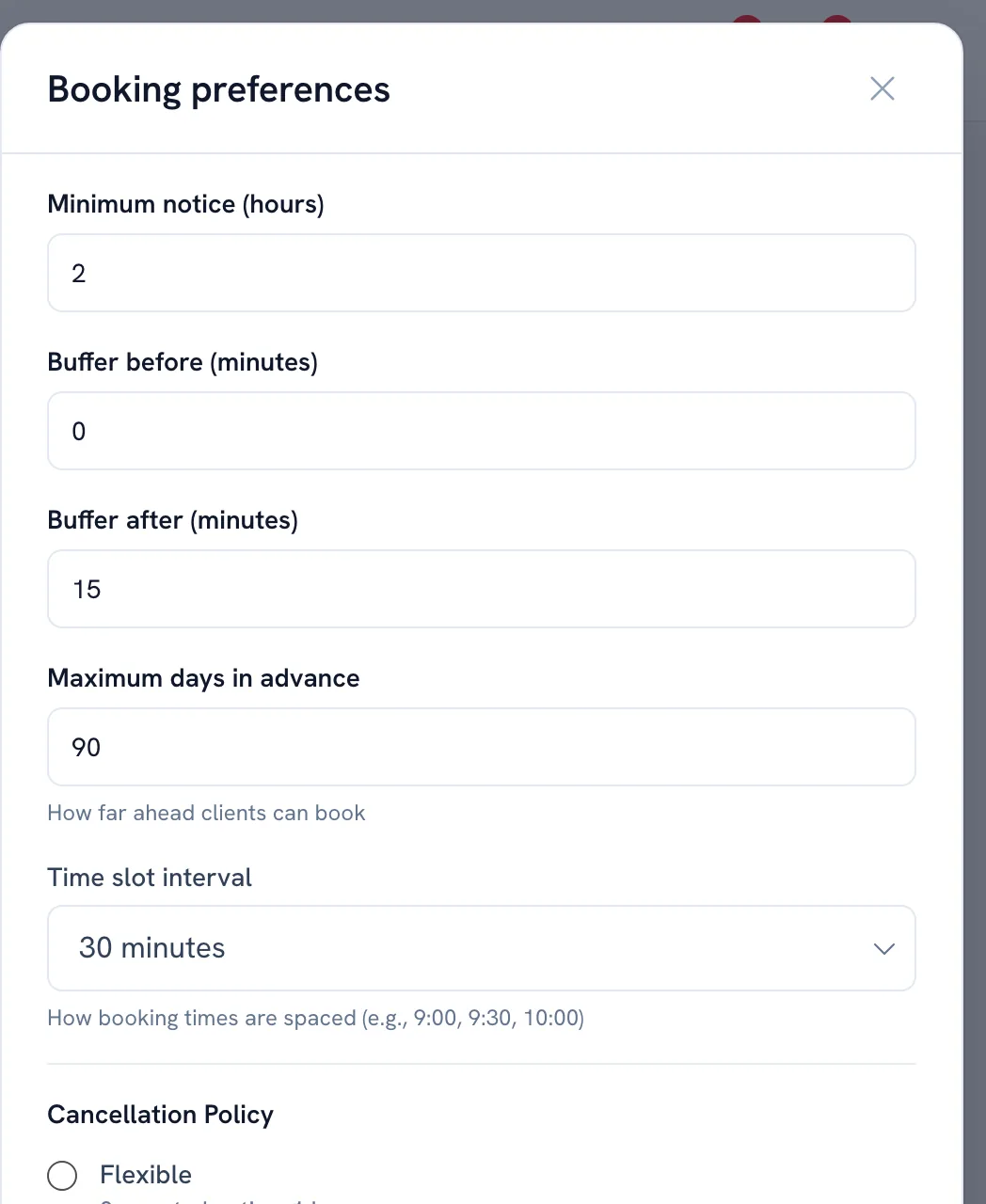
Set Minimum notice (hours) — a booking closer than this is not offered.
-
Set Maximum days in advance — how far ahead bookings stay open. Turn off Allow same-day bookings if you never take a booking for today.
-
Save.
Tip: Minimum notice (hours) is the setting that hides today's remaining slots when it is set high.
Recommended articles



Thanks for your feedback!
Was this guide helpful?