

Back
For professionals
Booking rules
Set your cancellation policy
Set your cancellation policy
Your cancellation policy is shown to clients on the booking before they confirm, and again on the screen where they cancel.
-
Open Workspace settings, choose Scheduling, then Booking rules, and click Edit on Booking preferences.
Go to Booking rules -
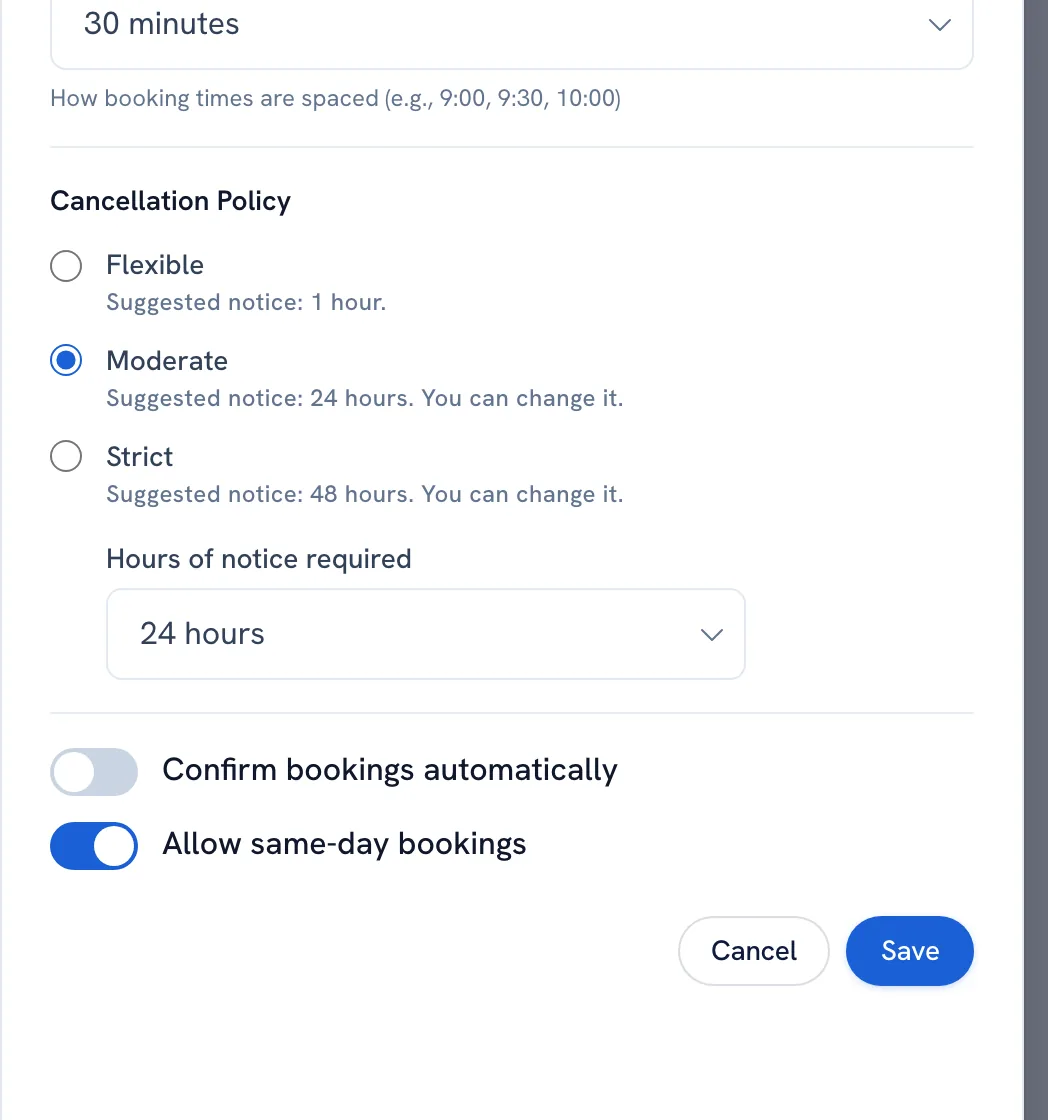
Under Cancellation policy, choose Flexible, Moderate or Strict, and adjust Hours of notice required if the suggestion does not fit.
-
Click Save. Then, to say whether you give money back, click Edit on Refund policy, set Offer refunds, and write what the client reads.
-
Save.
Tip: WellFred does not take payments yet, so the refund setting states your policy — it does not move money.
Recommended articles



Thanks for your feedback!
Was this guide helpful?