

Back
For customers
Account and security
Verify your phone number
Verify your phone number
A verified number is how WellFred knows the phone on your account is really yours. It is done with a link sent by text message, not a code.
-
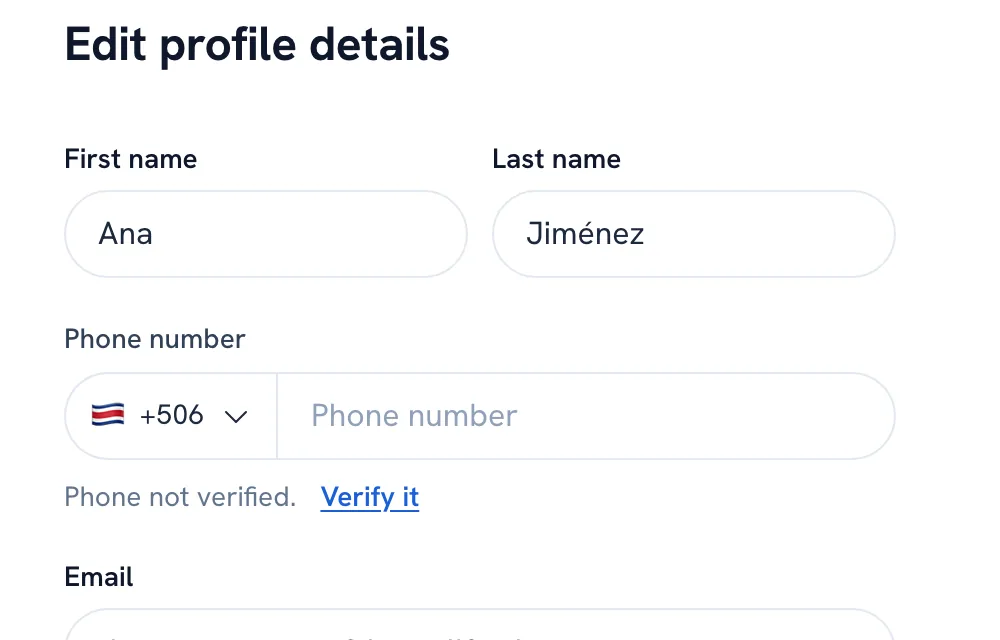
Go to Profile and tap Edit.
Edit your profile -
Enter your Phone number. While it reads Phone not verified., tap Verify it.
-
Open the text message on that phone, tap the link, and tap Verify this number.
Tip: The link works for 10 minutes. If it expired, go back to your profile and use Send another link.
Recommended articles


Thanks for your feedback!
Was this guide helpful?