

Back
For professionals
Services
Create a service
Create a service
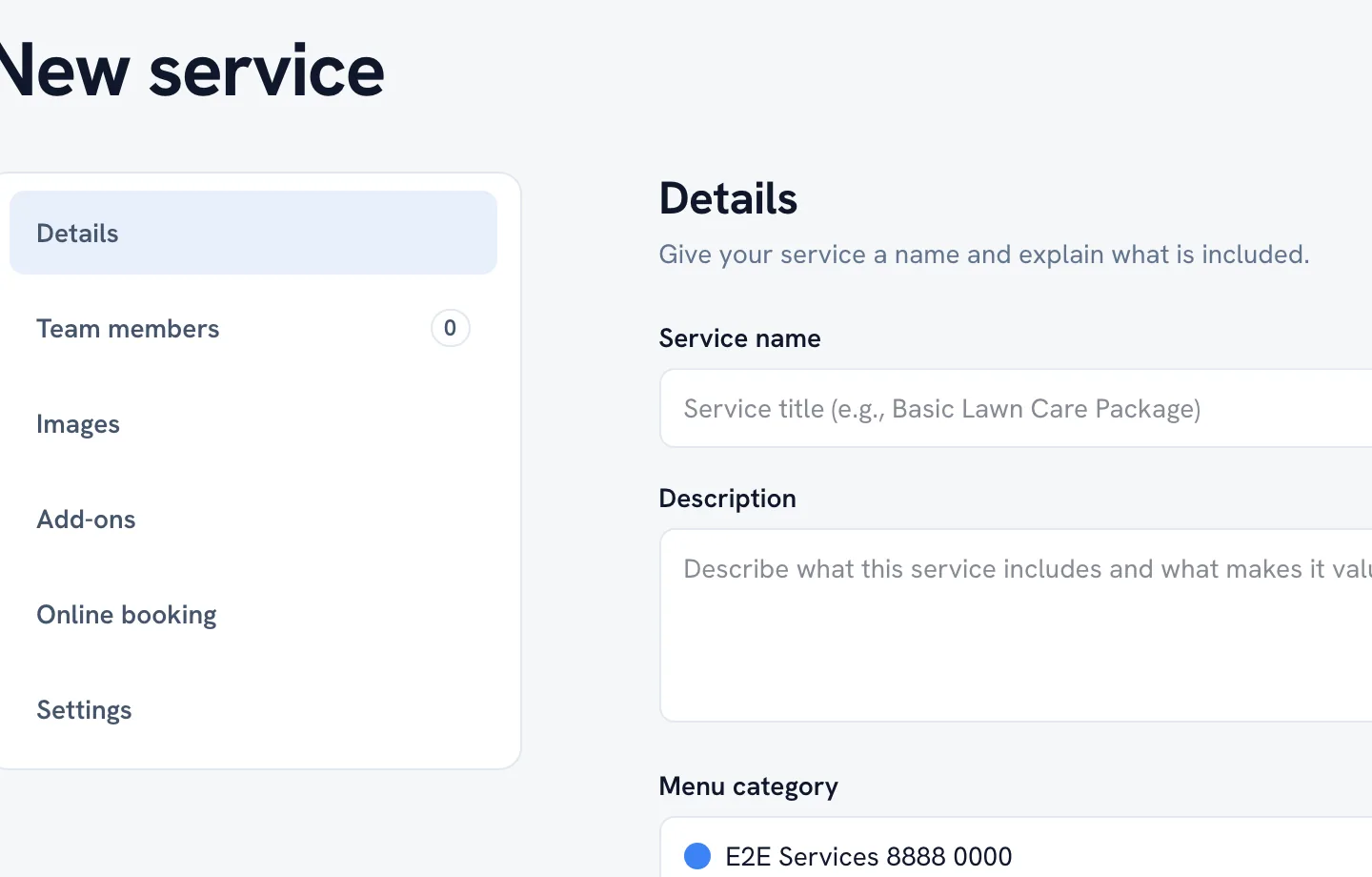
A service is one bookable thing. The editor is split into sections down the side; Details and Pricing are the two you cannot skip.
-
Open Catalog, choose Service menu, click Add and pick Single service.
Go to Service menu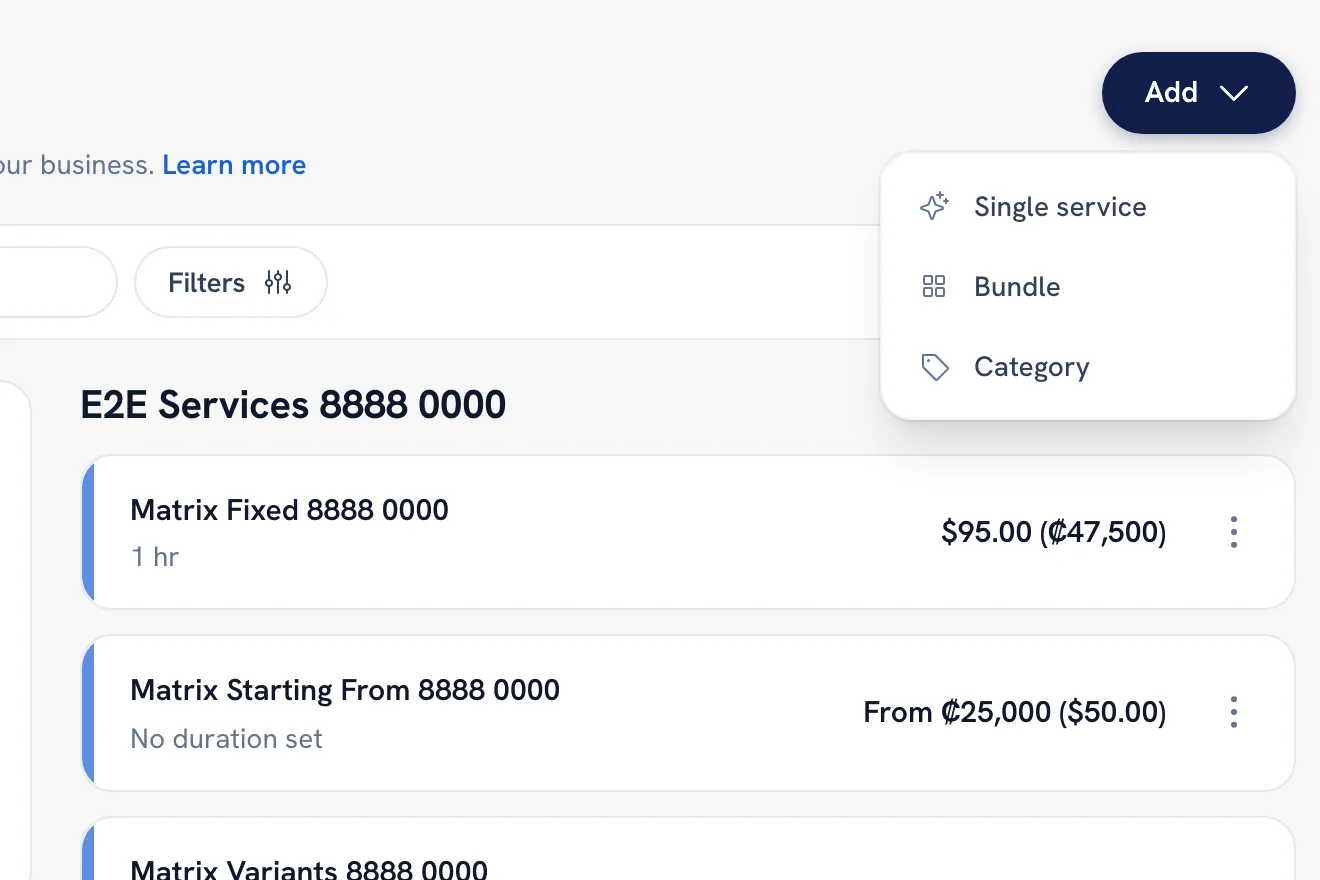
-
Under Details, name the service and describe what it includes.
-
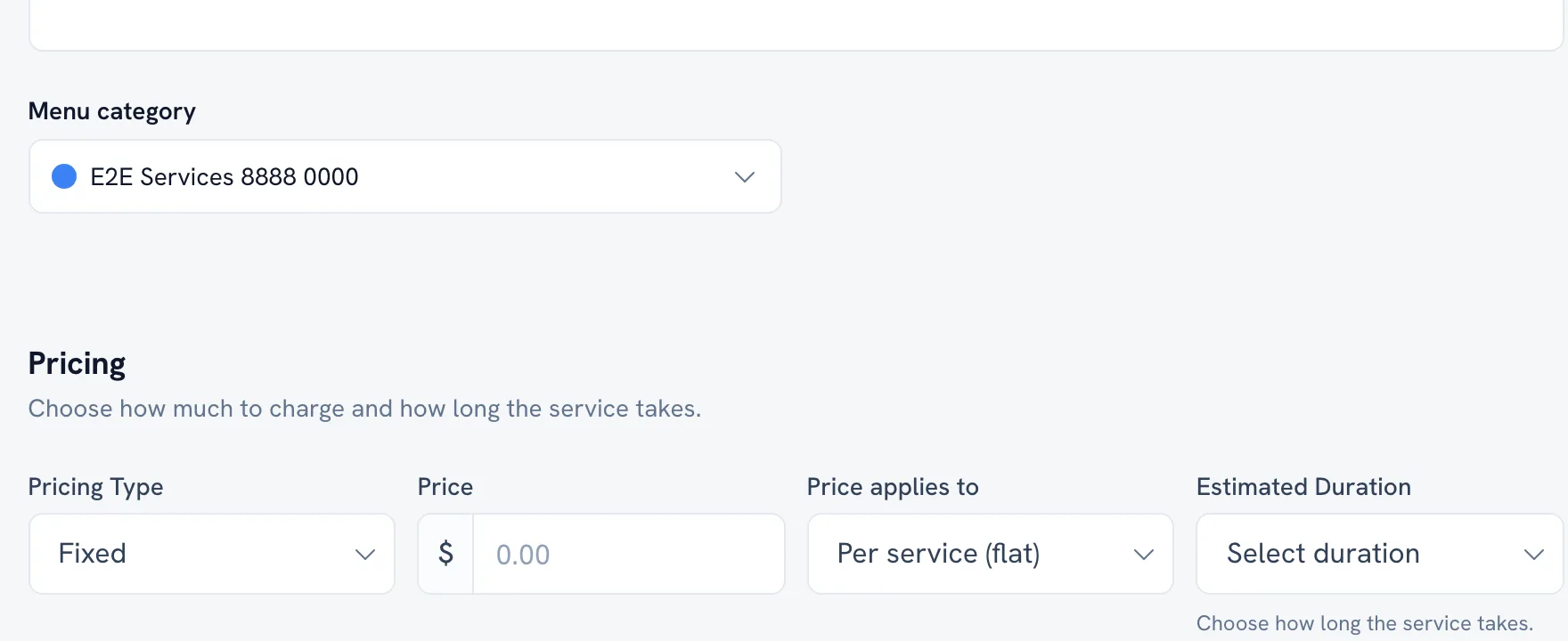
Under Pricing, set the public price and how long it takes.
-
Save. You can come back for Images, Add-ons and the rest whenever.
Tip: The description is what a client reads before booking, so write it for them rather than for your own records.
Recommended articles



Thanks for your feedback!
Was this guide helpful?