

Choose what reaches you by email or WhatsApp
The bell always updates. These settings decide which notifications also leave WellFred, and how.
-
Open the bell, open its menu and choose Notification settings, then the Personal tab and Preferences.
Go to Preferences -
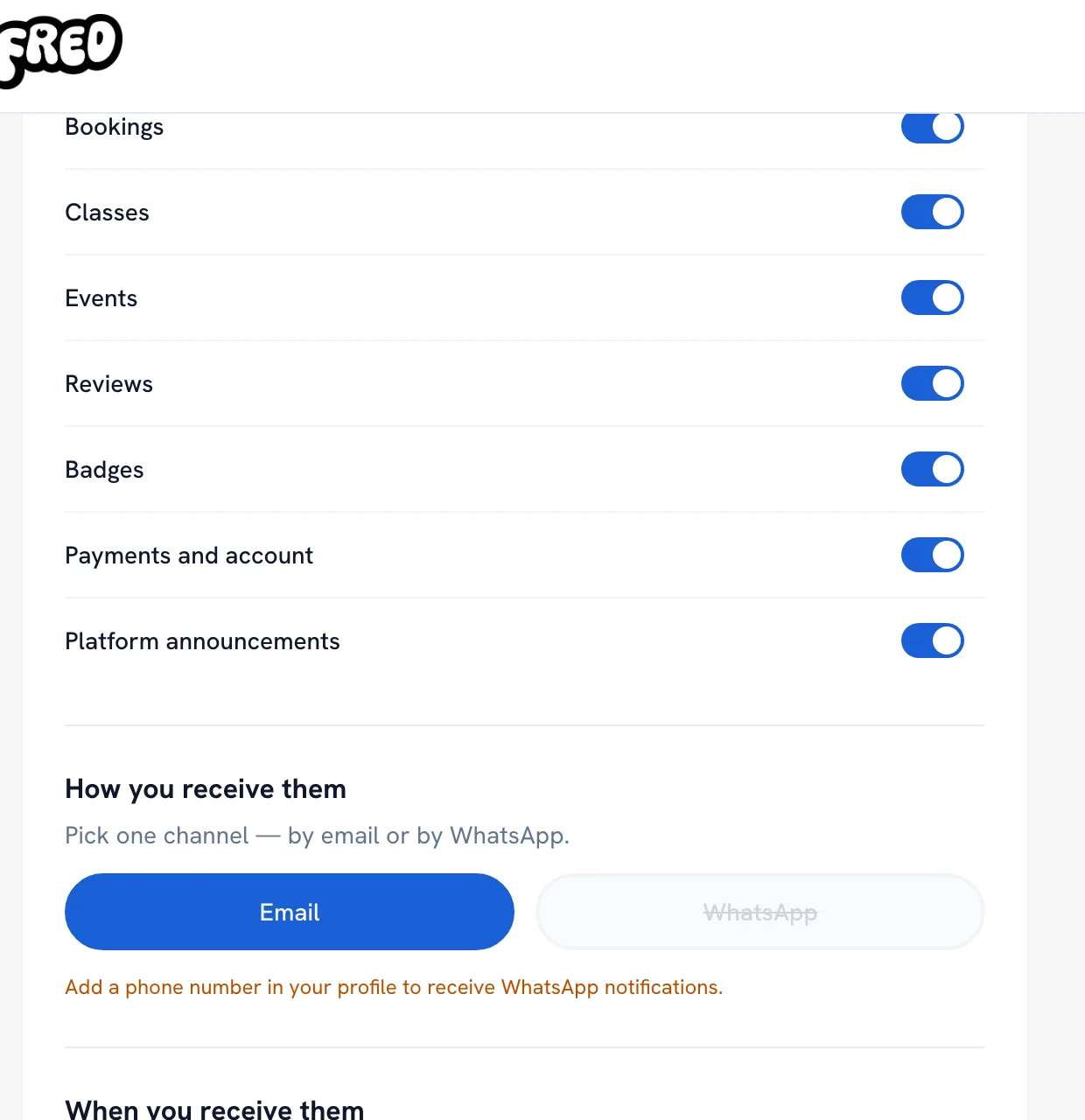
Under Notification preferences, turn each kind on or off — bookings, classes, events, reviews and the rest.
-
Under How you receive them, pick Email or WhatsApp. It is one or the other, and WhatsApp needs a phone number on your profile.
-
Turn off Weekend notifications to get email and WhatsApp only Monday to Friday, then click Save Changes.
Tip: Turning a kind off here does not hide it from the bell — it only stops the email or WhatsApp copy.
Recommended articles



Thanks for your feedback!
Was this guide helpful?