

Back
For customers
Notifications
Choose what reaches you by email or WhatsApp
Choose what reaches you by email or WhatsApp
The bell always updates. These settings decide which notifications also leave WellFred, and how.
-
Open Settings from your account menu.
Go to Settings -
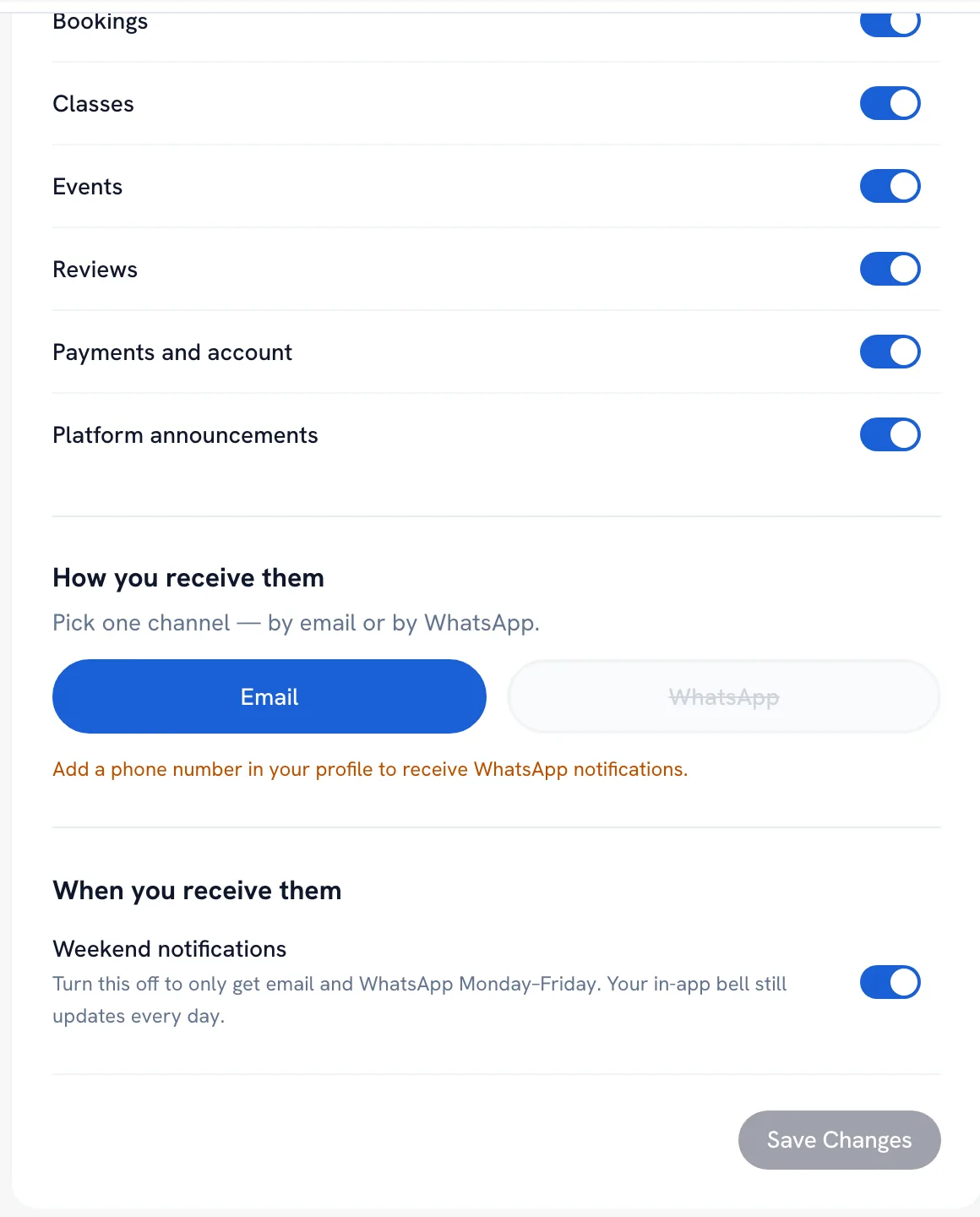
Under Notification preferences, turn each kind on or off — bookings, classes, events, reviews, Payments and account and Platform announcements.
-
Under How you receive them, pick Email or WhatsApp. It is one or the other, and WhatsApp needs a phone number on your profile.
-
Turn off Weekend notifications to get email and WhatsApp only Monday to Friday, then tap Save Changes.
Tip: Turning a kind off here does not hide it from the bell — it only stops the email or WhatsApp copy.
Recommended articles


Thanks for your feedback!
Was this guide helpful?